


Phone Mirror app - True Mirror
Cards
I usually think of a mirror as one of the simplest things a phone can replace, but Phone Mirror - True Mirror takes that basic idea and turns it into a small beauty tool for moments when a real mirror is not nearby. It uses the phone’s display to show your image, with editing, zoom, and light controls available for a closer look. I found it most useful as a quick, practical companion rather than as a full beauty studio.
The app sits in the Beauty category and is developed by Cards. It is free to install, aimed at Everyone, and runs on devices using Android 6.0 or later. Its current version is 10.0.0, while optional in-app purchases range from $0.99 to $99.99 per item. That combination makes the first try easy, although I would still pay attention to which tools are available without an extra purchase before building a regular routine around it.
What the mirror experience is really like
The central experience is refreshingly direct: open the app, look at the live image, and use the screen as a substitute for a handheld mirror. There is no need to learn a complicated editing workflow just to check your face, hair, teeth, or makeup. The zoom option is particularly helpful when a normal reflection is not enough, while the light control can make the image easier to inspect in a dim room.
I would not treat the app as a replacement for a camera application. A camera is usually better when the goal is to capture a polished portrait, compare several photos, or make a detailed edit for sharing. This app makes more sense when the goal is immediate visual feedback. That distinction matters because it keeps expectations realistic: the value is in checking yourself quickly, not in turning every glance into a finished photograph.
The simple design also makes it suitable for people who do not want a long list of beauty effects. Some mirror apps push filters, reshaping, stickers, or social features so strongly that the basic reflection becomes secondary. Here, the useful starting point is the mirror itself. For me, that makes the app feel more practical when I am preparing to leave rather than experimenting with an elaborate look.
Latest News

Uber Eats Under Pressure: What Happens When Delivery Goes Wrong

How QR & Barcode Scanner Adapts to Android and iOS Innovations

Why Waze Navigation & Live Traffic Is Your Essential Travel Companion

CapCut Mastery: Unleash Hidden Features for Pro-Level Editing

How OS Updates Enhance Roblox Adventures

Teacher Simulator: Exam Time Turns Quick Classroom Judgments into a Repetitive Loop
Where connectivity enters the experience
A mirror app can feel almost completely self-contained while you are looking at the screen, but the surrounding phone experience still shapes how convenient it is. Downloading the app, receiving updates, and handling optional purchases naturally involve the usual connected parts of a mobile device. Once I am simply using the display to check my appearance, I prefer not to think about anything beyond the reflection and the controls in front of me.
This is one reason I would install it before an important trip, event, or workday instead of waiting until I am already in a hurry. A connected moment is the wrong time to discover that an update is needed, that a purchase screen interrupts the workflow, or that the phone is short on battery. Preparing earlier removes some of that friction and leaves the app available as a small utility when I need it.
The app’s popularity suggests that this straightforward idea has found a broad audience. It has passed 10 million installs and holds a 4.7 average from around 87 thousand ratings. Those figures do not guarantee that every phone will feel identical, but they do indicate that the concept is easy for many people to understand and use.
Gallery
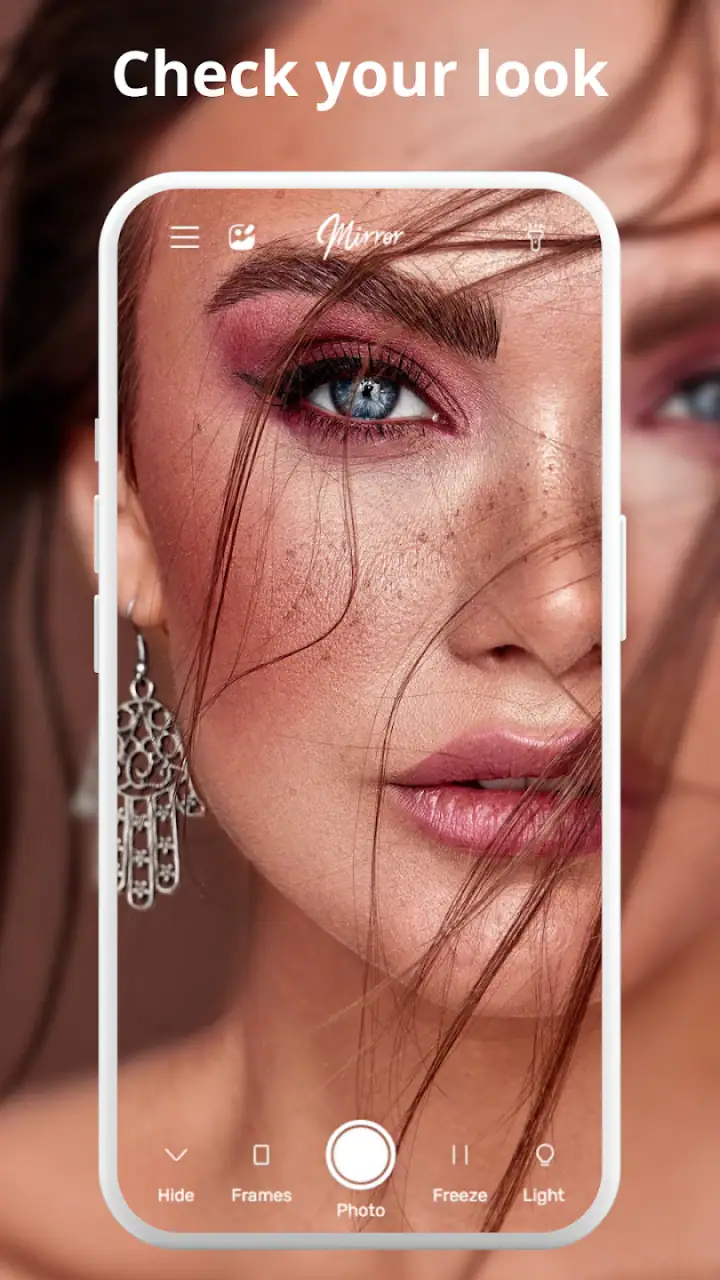
I would still avoid judging the experience only by its store reputation. A mirror depends heavily on the phone itself: screen brightness, front-camera quality, available light, and the position of the device all affect what you see. If your phone produces a dark or soft preview in a particular room, the app cannot magically create a perfectly accurate reflection. The light control can help with visibility, but it should not be confused with a professional lighting setup.
Useful mobile situations beyond the bathroom
The obvious use case is checking makeup or hair at home, but I found the app more interesting in the spaces where a wall mirror is inconvenient. Before a video meeting, I can use it to check whether my hair is sitting correctly and whether something is visible on my face. Before entering a restaurant, I can quickly inspect my appearance without searching for a restroom. In a shared office, it can be less awkward than carrying a separate compact mirror.
It also works well as a preparation tool for small details. I can enlarge the view to inspect an eyebrow, check whether an eyelash has moved, or look closely at the edge of lipstick. Those are not dramatic features, but they are exactly the sort of tasks that make a phone mirror worthwhile. The zoom is most useful when I hold the device steady and use it briefly, rather than trying to walk around while staring at the screen.
Another realistic scenario is getting ready in a hotel room or guest room where the available mirror is poorly placed. I can position the phone closer to my face, adjust the screen’s illumination, and handle a quick correction without rearranging the room. This is where the app feels more convenient than a standard camera: I am not trying to preserve a photo, so I can focus on the immediate check and close it when finished.
There is a trade-off, though. Holding a phone as a mirror occupies one hand, and the device may be less comfortable than a small physical mirror during a longer makeup session. If I need both hands for several minutes, a real mirror with a stand remains the better choice. The app is strongest for short inspections and last-minute fixes, not for replacing every part of a beauty routine.
How I would use the zoom and light controls
The zoom control deserves a more deliberate approach than simply pushing it to the highest level. High zoom can make small movements look exaggerated, so I use a moderate enlargement first, correct the detail, and then return to the normal view to check the overall result. That two-step habit prevents me from overcorrecting a small imperfection while losing sight of how my face looks at a normal viewing distance.
The light option is similarly useful when treated as assistance rather than a guarantee. In a low-light hallway, increasing the display’s brightness can make features easier to see. In a room with strong overhead lighting, however, the resulting image may still be less flattering or less informative than natural light. I prefer to compare a close inspection under the app’s light with a normal view near a window or another evenly lit area.
A non-obvious advantage of this workflow is that it separates precision from presentation. Zoom helps me inspect one small area, while the regular view tells me whether the final appearance looks balanced. Many quick beauty checks fail because people focus only on the enlarged detail. With this app, alternating between the two views makes the tool more reliable for small corrections.
I also recommend cleaning the front-facing camera area before relying on the image. A smudge can look like uneven skin, a stray hair, or a makeup problem. That is not an app defect, but it is an easy source of confusion when using any phone as a mirror. A brief wipe and a stable grip often improve the result more than increasing the light or zoom.
What happens when the moment goes wrong
The main failure points are practical rather than complicated. The image may be too dark, the phone may be held at an unhelpful angle, or the screen may be difficult to see outdoors. My first response would be to change the surroundings: face a more even light source, steady the phone, and move away from direct glare. Only after that would I adjust the in-app controls.
If the app does not feel responsive, I would avoid repeatedly tapping the same control while rushing. Closing it, reopening it, and checking whether the phone has enough available battery or general system responsiveness is a calmer recovery path. A mirror check is rarely worth turning into a long troubleshooting session. If the moment is urgent, a physical mirror or the ordinary camera preview may be a faster fallback.
Connectivity can add another layer of friction around the core experience. If an update, store connection, or purchase step becomes necessary at an inconvenient time, I would postpone that task until I have a stable connection and enough time to review what is being offered. The app is free to start, but optional items can cost from $0.99 up to $99.99 each, so I would not tap through a purchase screen casually just to regain momentum.
This is also where I think the app’s audience should be honest about its role. If you need a dependable mirror for a performance, a long makeup appointment, or a situation where the phone must remain available for calls and navigation, relying on a second device or a physical mirror is safer. The app is convenient precisely because it is already on a phone, but that also means it shares the phone’s battery, screen, and attention with everything else.
Using it without wasting attention or data
A short mirror check does not need to become a connected browsing session. I would open the app for a specific purpose, make the adjustment, and close it rather than leaving it active while doing unrelated tasks. That habit keeps the experience focused and avoids unnecessary battery use from an illuminated screen. It also makes the app feel more like a tool and less like another feed demanding attention.
For data-conscious users, the sensible routine is to handle installation, updates, and any optional purchase decisions when connected to a trusted network, then use the mirror only when needed. I would not assume that every part of the experience behaves identically in every network situation, so I would test the basic workflow at home before depending on it in a place with limited connectivity. That small test can reveal whether the version on your phone suits the way you plan to use it.
Privacy is another reason to keep the workflow intentional. Looking at yourself through a front camera is different from publishing a photo, and I would avoid treating the mirror session as content creation unless I specifically want to save or edit something. The fewer unnecessary steps between opening the app and finishing the check, the easier it is to keep the experience private and uncomplicated.
The app is also a reasonable choice for users who dislike cluttered beauty interfaces. Instead of opening a social camera, navigating past creative effects, and risking an accidental share, I can use a purpose-built mirror-style screen. That does not make it automatically superior to every camera app, but it gives it a clear advantage for people who want a quiet, focused check rather than entertainment features.
Who should choose it, and who should skip it
I would recommend it to travelers, students, commuters, office workers, and anyone who regularly finds themselves without a convenient mirror. It is especially suitable for quick touch-ups, checking hair before an appointment, inspecting makeup under a different light, or confirming that a small detail looks right before meeting someone. The Everyone age rating also makes its intended use broadly accessible, although younger users should still follow the purchasing rules and device guidance set by their household.
I would be more cautious about recommending it to someone who wants advanced portrait editing, detailed retouching, or a permanent beauty record. The app’s core strength is immediacy, not a deep creative workflow. A dedicated camera editor will usually offer more control for saved images, while a physical mirror will be more comfortable for extended grooming and will not compete with the phone’s other tasks.
It may also be a poor fit if your phone has a weak front camera, a small or dim display, or a battery that is already under pressure. The app can make the phone more useful, but it cannot overcome every hardware limitation. In that situation, a compact mirror is not merely an alternative; it may provide a clearer and more dependable result with less setup.
My final view after using it as a daily utility
Phone Mirror - True Mirror succeeds because it stays close to a simple need: seeing yourself when a normal mirror is unavailable. The zoom and light controls give the idea more practical value than a plain camera preview, especially for small corrections and uneven environments. I like that it can fit into a travel bag, workday, or last-minute preparation routine without asking me to learn a complicated system.
Its limitations are just as important. The quality of the reflection depends on the phone and the surrounding light, holding the device can be inconvenient, and connected tasks or optional purchases may interrupt an otherwise simple experience. I would install it as a backup and quick-check tool, not as the only mirror I own.
With a 4.7 average and around 996 thousand reviews, it has clearly earned strong attention from users, and its free starting point makes experimenting low-risk. My verdict is favorable for the right audience: if you often need a fast phone-based reflection, this app is focused, approachable, and genuinely handy. If you need professional beauty editing, hands-free grooming, or a fully dependable mirror in every situation, a different option will serve you better.
FAQs for Phone Mirror app - True Mirror
What is the primary function of the Phone Mirror app - True Mirror?
The Phone Mirror app - True Mirror is designed to mirror your smartphone's screen onto a larger display, such as a PC or smart TV. This feature is particularly useful for presentations, gaming, or viewing media. It maintains high resolution and supports real-time synchronization, ensuring a seamless experience.
Is the Phone Mirror app compatible with all devices?
Phone Mirror - True Mirror supports most Android and iOS devices. However, compatibility can vary based on the device model and operating system version. It is recommended to check the app’s compatibility details on the download page to ensure it works with your specific device before installation.
Does the app require an internet connection to function?
While an internet connection is not mandatory for basic mirroring functions, certain features such as remote access or cloud-based integrations may require connectivity. Additionally, initial setup might need internet access for downloading necessary drivers or updates.
Are there any privacy concerns when using the Phone Mirror app?
The developers of Phone Mirror - True Mirror prioritize user privacy and have implemented multiple security measures. Data transmitted during mirroring is encrypted, and users can control what is shared. Always review the app’s privacy policy to understand how your data is managed.
Does the Phone Mirror app offer any customization features?
Yes, the app provides various customization options, including screen resolution adjustments, aspect ratio settings, and display preferences. These features allow users to tailor the mirroring experience to their needs, whether for gaming, presentations, or media streaming.
Pros
- User-friendly interface
- easy to navigate.
- High-quality screen mirroring with minimal lag.
- Supports multiple devices simultaneously.
- No additional hardware required for setup.
- Offers a free trial with full features.
Cons
- Requires a stable Wi-Fi connection.
- Limited compatibility with older OS versions.
- Free version includes watermarks.
- Occasional disconnects during long sessions.
- Lacks advanced customization options.


